It was 11:47 PM on a Tuesday. One of my first-year students messaged me on WhatsApp — "Sir, which AI should I use? Assignment is due at 9 AM tomorrow." 1,500 words. 9 hours left. No idea where to even start.
I teach at UPES Dehradun. I do research in cryptography. I have published papers. But right then, I had no good answer for him. I knew these tools by name — not the way a student with zero money actually uses them at midnight before a deadline.
So I sat down and tested all 8 myself. Free accounts only. No credit card. No VPN. Same situation as most students. Here is what I actually found.
⚡ Quick Verdict — If You Are Short on Time
My honest pick for most Indian students:
- For assignments and general writing → ChatGPT (free)
- For long documents and detailed writing → Claude (free)
- For research with actual sources → Perplexity AI (free)
- If you already use Google Docs → Google Gemini (free)
- For quick doubts on WhatsApp from your phone → Meta AI (free)
- For summarising any webpage while reading → Merlin AI (free, 102 queries/day)
The 8 Tools
✅ Free Plan
🏆 Best Overall
No VPN Needed
No Credit Card
Most searched AI tool in India, and honestly the best place to start. The free plan gives you GPT-4o — that is OpenAI's best model — with some daily limits. Essays, concept explanations, code, translation, summaries — it handles all of it. Sign up with your Google account, no credit card needed, and in most cases no phone number either.
📖 What I Found When I Tested It
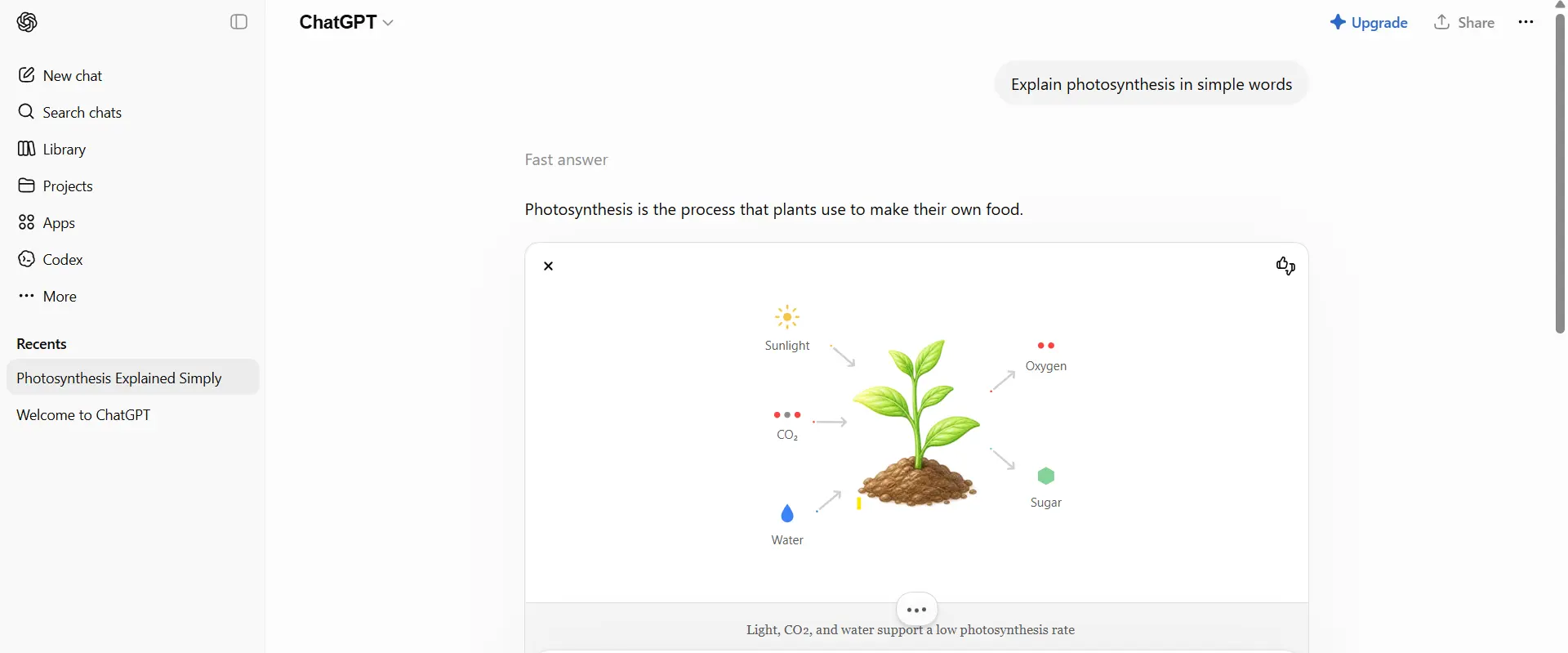
That student's 1,500-word essay — I gave ChatGPT the topic and a rough outline. In 90 seconds I had a solid first draft. Not perfect — I rewrote two paragraphs — but it was much better than sitting and staring at a blank page for two hours.
How Indian students mostly use it:
- Writing and improving English assignments and essays
- Understanding tough textbook concepts in simple language
- Translating between Hindi and English quickly
- Getting code snippets for CS and IT assignments
- Quickly summarising long chapters before exams
🔬
Researcher's Note — Suryakant Prasad
ChatGPT sends your conversations to OpenAI's servers in the US. Under India's DPDP Act 2023, OpenAI is a data fiduciary handling Indian student data. One rule that applies to every AI tool — never type your Aadhaar number, exam roll number, or college login details into any chat window. Not ChatGPT, not any of them.
Once the daily GPT-4o limit is hit, it switches to the older GPT-3.5. Still works, but for complex tasks you will notice the difference clearly.
Try ChatGPT Free →
✅ Free — Claude Sonnet
Best for Writing ✍️
No VPN Needed
No Credit Card
This is the one I personally use for my own research writing. ChatGPT gives you fast answers — Claude gives you careful, properly thought-out ones. Paste in a 20-page PDF and ask what the methodology is — it handles the whole thing without missing the details. Free plan gives you Claude Sonnet, which is more than enough for student work.
📖 What I Found When I Tested It
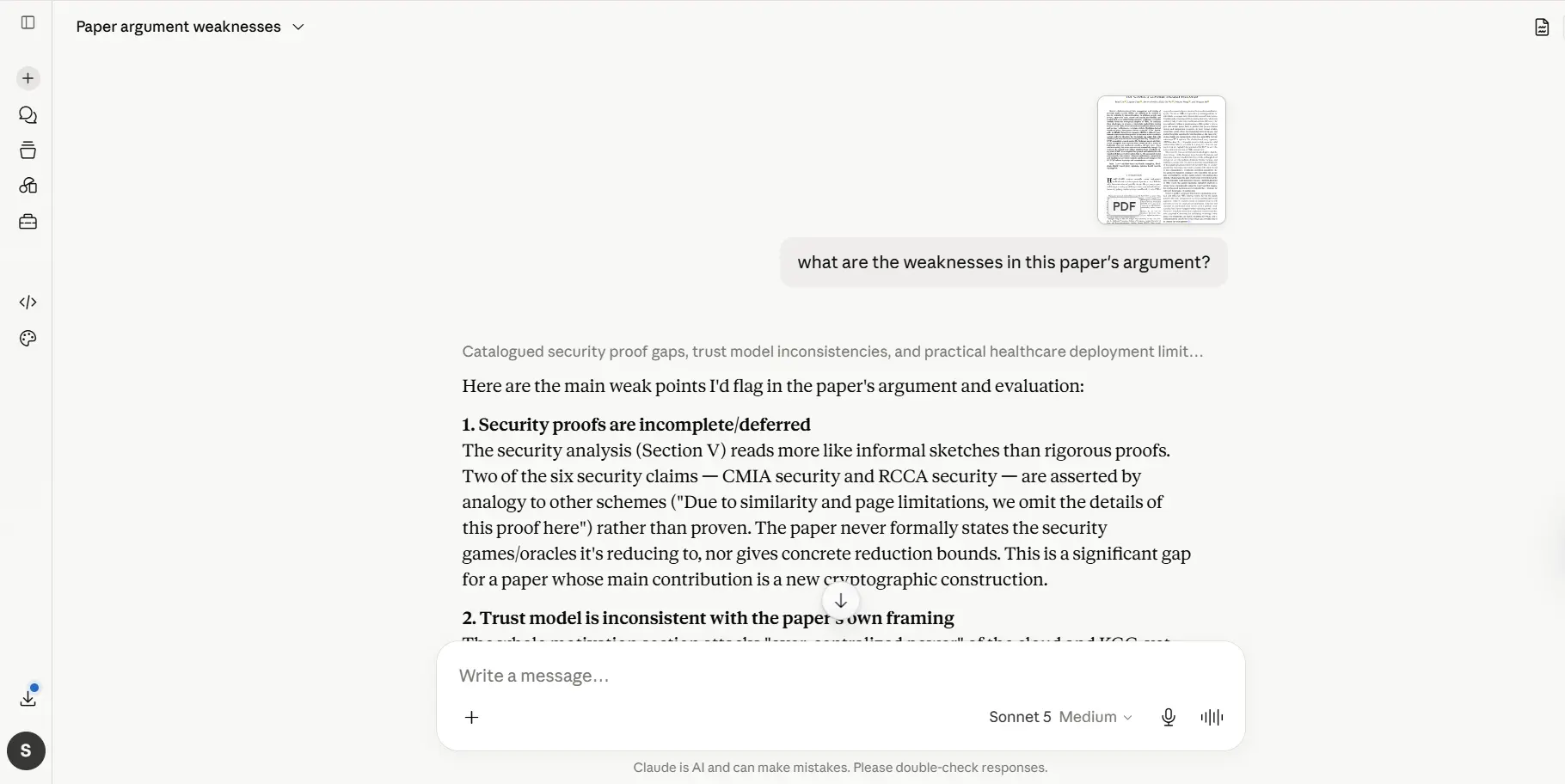
I uploaded a 40-page cloud security research paper and asked — "what are the weaknesses in this paper's argument?" Claude gave me a 5-point critique that would have taken me 45 minutes to write myself. No other free tool handles big PDFs this well.
How Indian students mostly use it:
- Uploading PDFs and asking questions about what is inside
- Writing longer, properly structured academic essays
- Sharing their own draft and getting honest feedback on it
- Understanding difficult English passages in simpler terms
- Preparing for viva or presentations by asking Claude to quiz them
🔬
Researcher's Note — Suryakant Prasad
Anthropic built Claude to be honest — if it does not know something, it will say so directly rather than making something up. For academic work this matters a lot. Also, even on the free tier, Claude can handle more text at once than most other tools — that is why it does so well with long PDFs.
There is a daily message limit on the free plan. If you are having a very long back-and-forth session, you may hit it by evening. A bit frustrating for heavy use.
Try Claude Free →
✅ Free — Gemini 2.0 Flash
Google Docs ✅
No VPN Needed
No Credit Card
If you already use Gmail, Google Docs, or Drive — and most Indian students do — then Gemini is already sitting inside your Google account. No separate sign-up, no new password to remember. Ask it to draft something and it opens directly in Google Docs. And because it is Google's own tool, it actually knows what is happening on the internet right now.
📖 What I Found When I Tested It
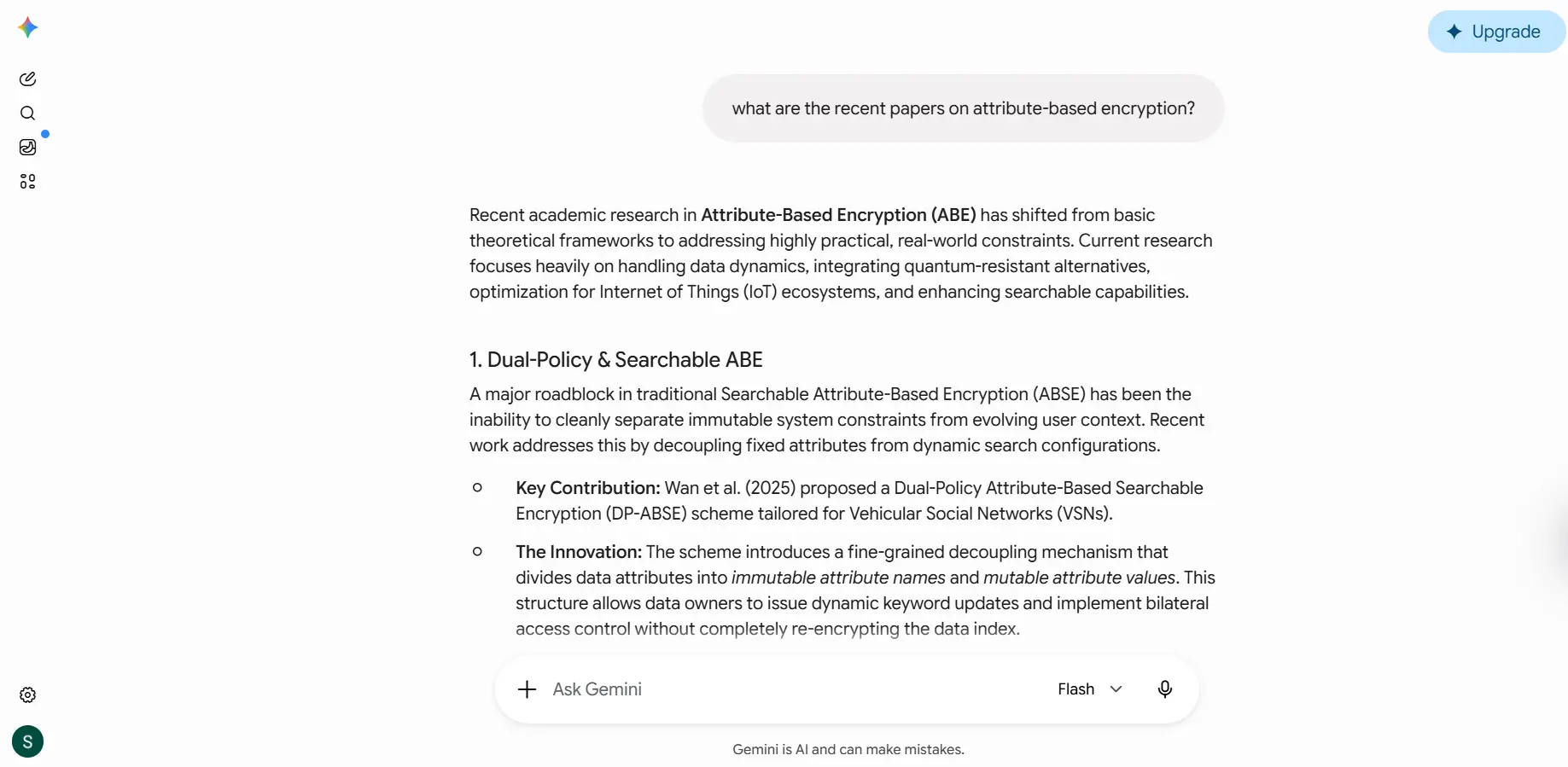
I asked — "what are the recent papers on attribute-based encryption?" Gemini pulled results from Google Scholar and gave a clean summary. Other tools gave me older data — Gemini gave me fresh 2026 results. For anything recent, it is ahead of the others.
How Indian students mostly use it:
- Drafting documents directly in Google Docs — no tab switching needed
- Finding recent news and current information (it has live web access)
- Creating AI images for presentations — Imagen 3 is included free
- Asking questions in Hindi — Gemini's Hindi support is genuinely solid
🔬
Researcher's Note — Suryakant Prasad
Whatever you type into Gemini goes to Google's servers and is linked to your Google account. By default, Google can review this data. If you do not want that — go to myaccount.google.com → Data & Privacy → turn off "Gemini Apps Activity." Takes two minutes and is worth doing.
Free plan gives you Gemini 2.0 Flash, not the Pro version. For very complex reasoning tasks, ChatGPT or Claude will give you noticeably better results.
Try Google Gemini Free →
✅ Free — GPT-4o powered
Web Search ✅
No VPN Needed
No Credit Card
Inside Microsoft Copilot is the same GPT-4o that you get in ChatGPT Plus — but completely free. The difference is that it searches the web with every single response and shows you the sources. So you are not just getting what the AI was trained on — you are getting actual, current information.
📖 What I Found When I Tested It
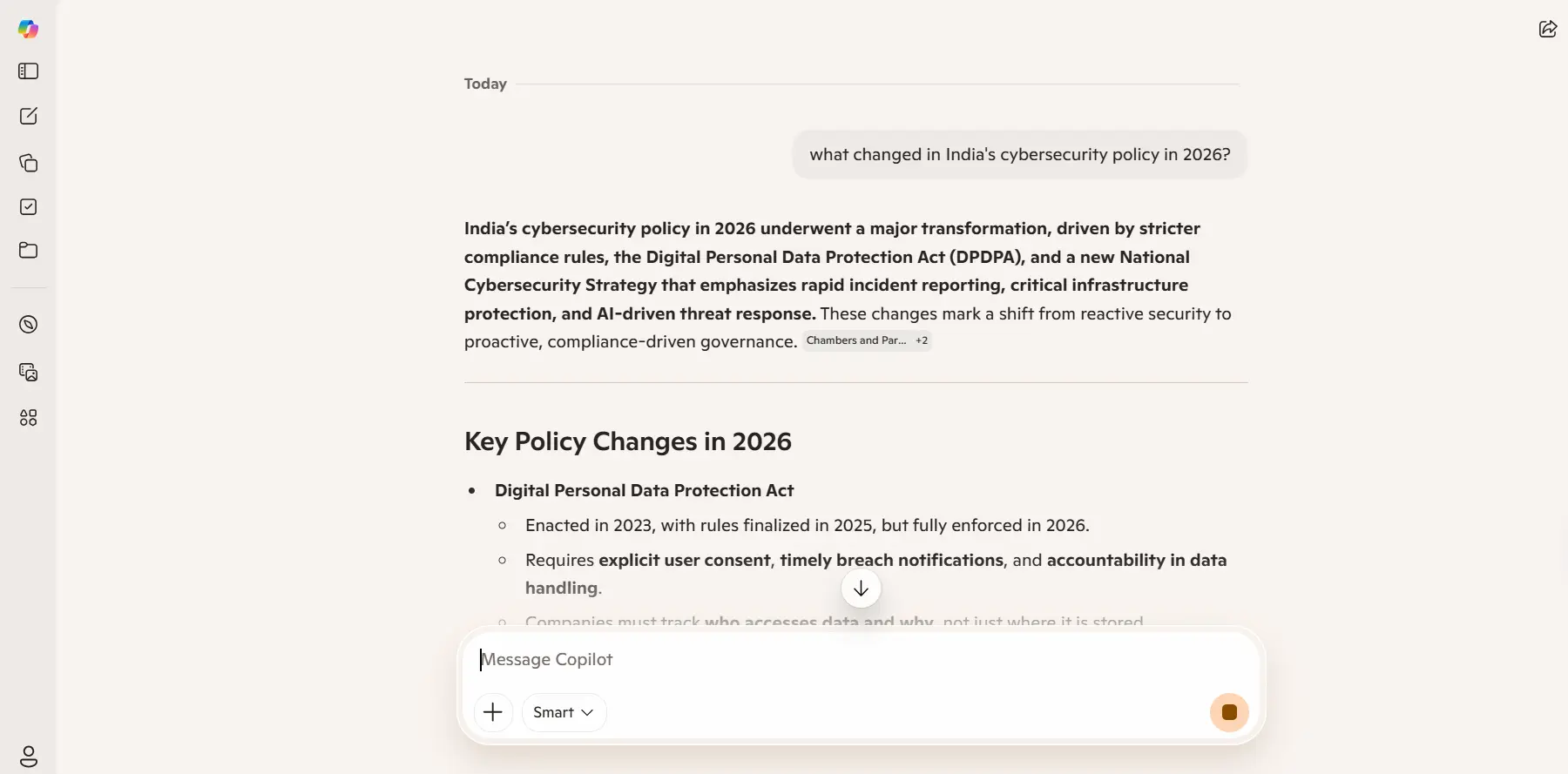
I asked — "what changed in India's cybersecurity policy in 2026?" Copilot gave me an answer with 4 source links — real news articles from 2026. Ask the same thing on ChatGPT and you might get outdated or wrong information. Copilot pulled live data.
How Indian students mostly use it:
- Research with recent facts — better than ChatGPT for current information
- Summarising current affairs for UPSC preparation with real sources
- Getting cited answers for college project bibliographies
- Using it directly inside Microsoft Edge — no separate tab needed
🔬
Researcher's Note — Suryakant Prasad
Because Copilot pulls live web data, it can sometimes cite unreliable sources. Before using any fact in your assignment, click the linked article and read it yourself. What the AI wrote is a starting point — not the final answer.
The interface feels a bit cluttered compared to ChatGPT. It also occasionally refuses clearly academic queries, which is frustrating.
Try Microsoft Copilot Free →
✅ Free with citations
🏆 Best for Research
No VPN Needed
No Credit Card
If you have a research project, this is my first recommendation. It does not just give you an answer — it shows you the exact source link for every single claim, right next to the sentence. Think of it as a smarter version of Google that actually reads the pages for you and tells you exactly where it got the information from.
📖 What I Found When I Tested It
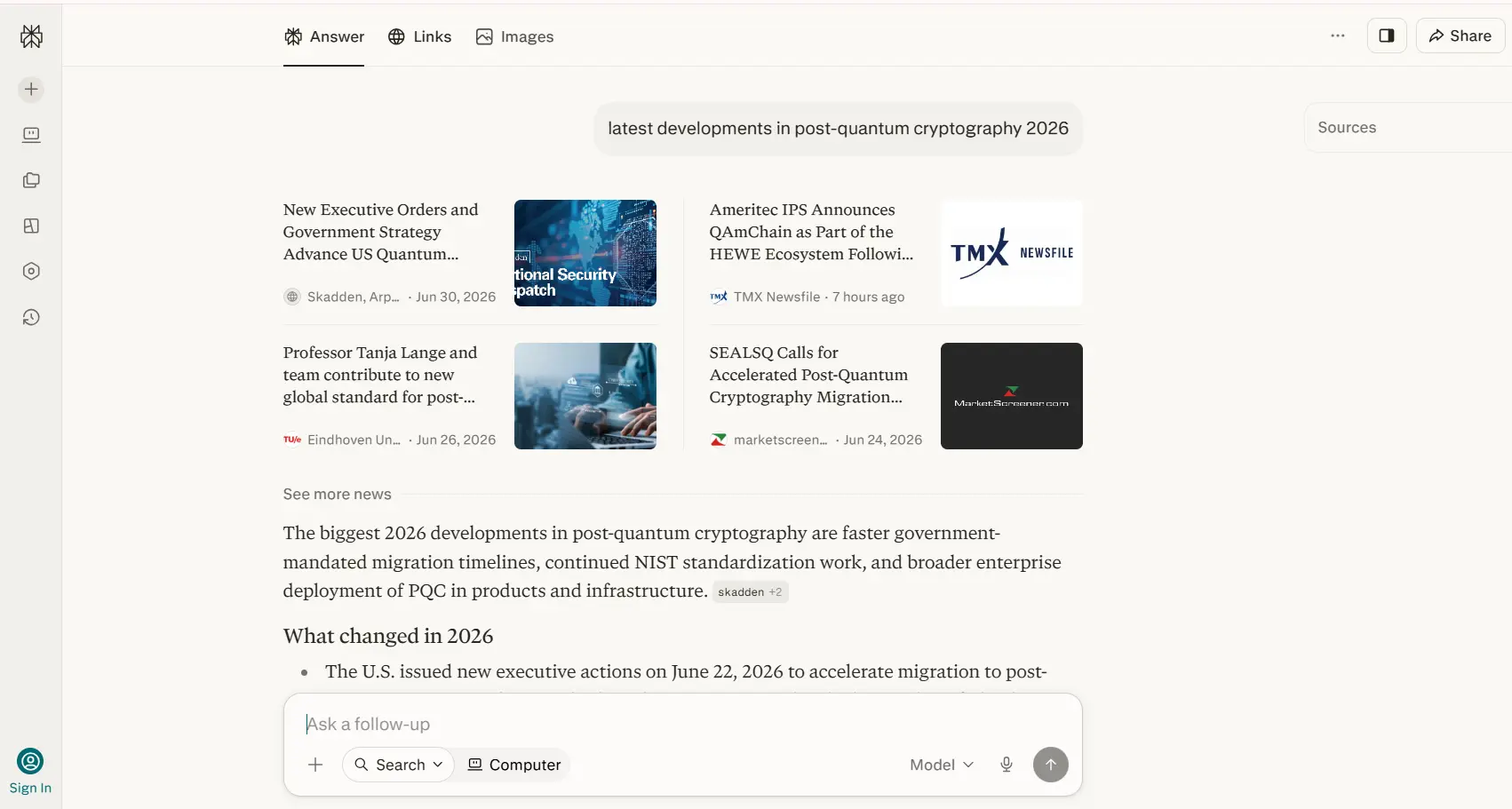
I searched — "latest developments in post-quantum cryptography 2026." Perplexity gave me a 400-word summary with 6 source links — two of them from IEEE. Finding those papers myself would have taken 40 minutes. Perplexity did it in 8 seconds.
How Indian students mostly use it:
- Fact-checking something before using it in an assignment
- Finding recent academic sources for a literature review
- Current affairs summaries for UPSC — with verifiable sources
- Researching a company before campus placement interviews
🔬
Researcher's Note — Suryakant Prasad
Among all free tools, Perplexity comes closest to being an actual academic research assistant. But one rule — always click the source link it gives and read the original article yourself. The summary can sometimes be slightly off from what the paper actually says. Use it to discover sources, not as the final word.
Pro searches have a daily limit on the free plan. Normal searches are unlimited but use a less powerful model. For most student research tasks, normal searches are good enough.
Try Perplexity AI Free →
✅ 100% Free
WhatsApp ✅ Instagram ✅
No VPN Needed
No Sign-Up Needed
This is the only tool on this list that works right inside WhatsApp — no separate app, no new account. Just open WhatsApp, start a chat with Meta AI, and ask your question. For Indian students who are mostly on their phones, this is genuinely useful for quick doubts while studying.
📖 What I Found When I Tested It
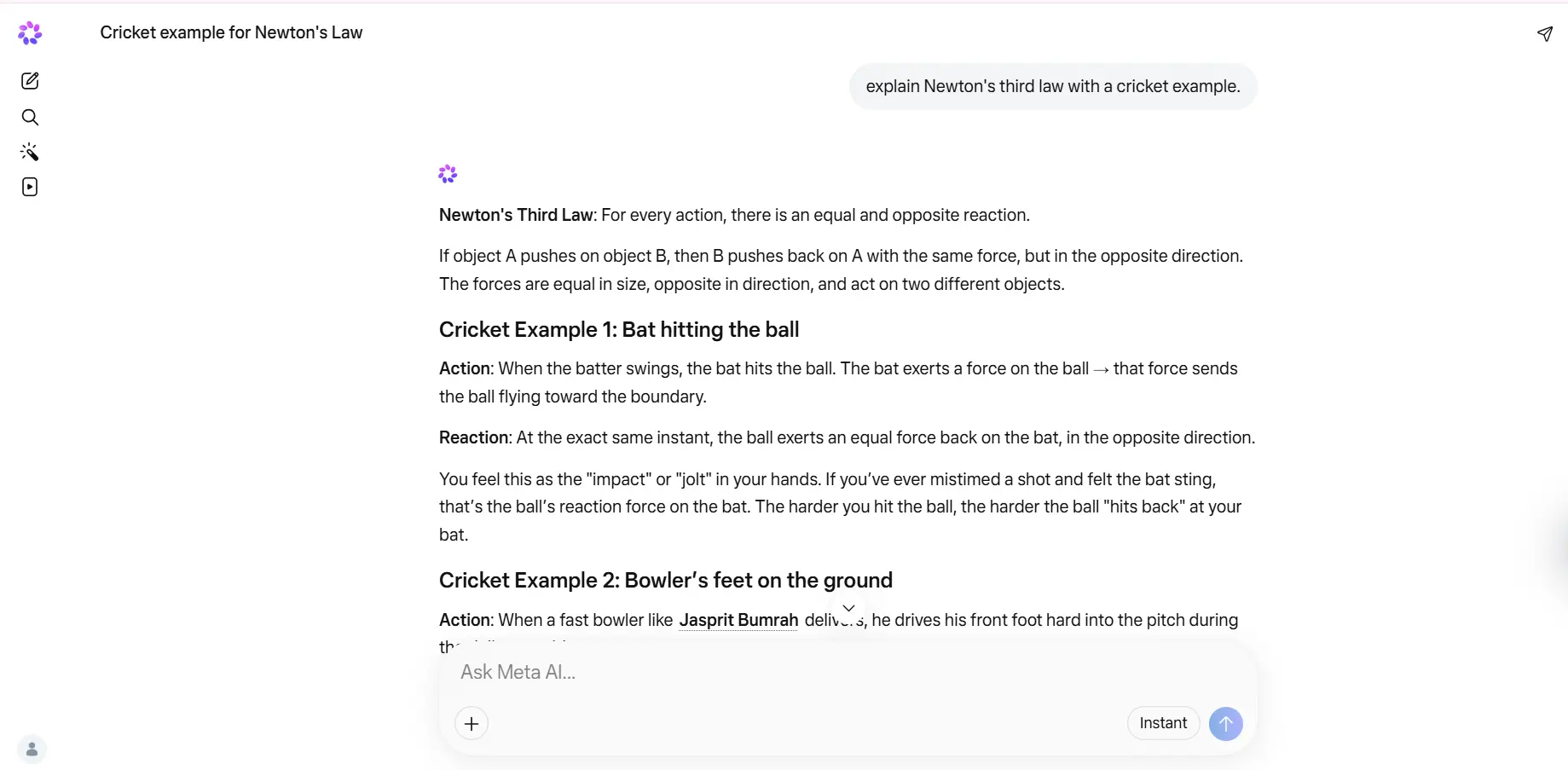
At 11:30 PM I typed directly into WhatsApp — "explain Newton's third law with a cricket example." Reply came in under 5 seconds — a perfect bat and ball analogy. No browser, no login, no waiting. Straight from WhatsApp.
How Indian students mostly use it:
- Quick doubts while studying — without leaving WhatsApp at all
- Generating AI images for Instagram posts and college projects
- Getting fast answers in Hindi or English from their phone
- Asking questions directly inside WhatsApp group chats
🔬
Researcher's Note — Suryakant Prasad
Normal WhatsApp messages are end-to-end encrypted — but Meta AI conversations are not. They are processed on Meta's servers. So do not type exam details, personal information, or anything sensitive into Meta AI on WhatsApp. For quick concept doubts it is fine — for personal data, it is not the right place.
Do not use this for long or complex work. For deep research or essay writing, open ChatGPT or Claude. Meta AI is best for short, quick questions only.
Try Meta AI Free →
✅ Free AI Search
Web Access ✅
No VPN Needed
No Credit Card
You.com is a search engine that thinks like an AI. Unlike Google, it does not just give you links — it reads the pages and gives you the actual answer. It has separate modes for Research, Code, and general chat. Especially useful for CS and IT students who need working code examples with proper explanations, not just Stack Overflow links.
📖 What I Found When I Tested It
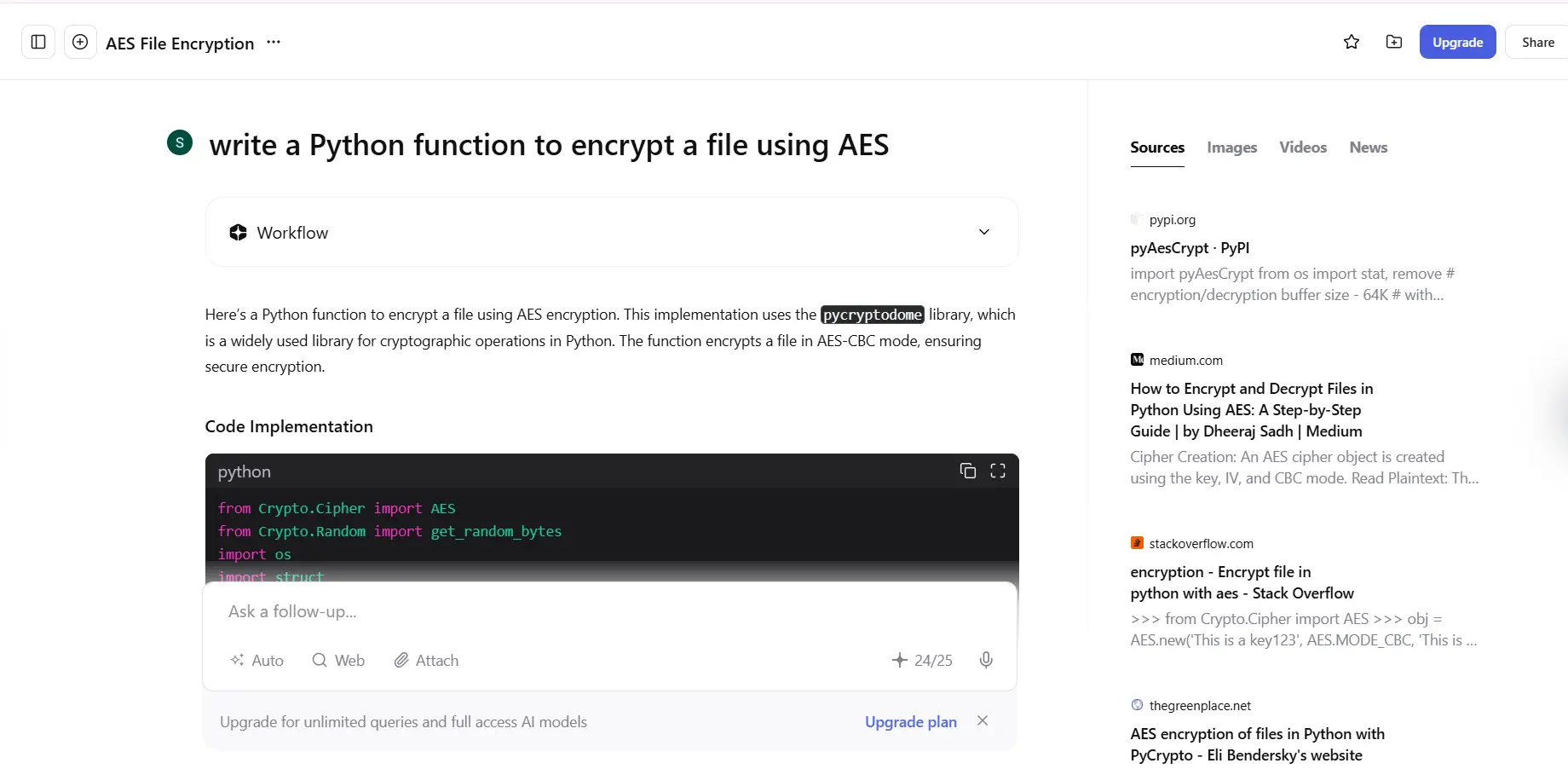
I asked it to write a Python function to encrypt a file using AES. It gave me working code, explained each line, and linked to the official Python documentation. For coding tasks, this is honestly one of the best free options out there.
How Indian students mostly use it:
- Getting working code examples with explanations in Python, Java, C++
- Research queries where you want web sources alongside the AI answer
- Finding study resources without the usual ad-heavy Google experience
- Writing help with real-time web context built in
🔬
Researcher's Note — Suryakant Prasad
You.com is not as popular as the others, which means less load on their servers and generally faster responses. The Code mode is separately optimised for programming tasks. For CS students it is worth bookmarking on its own — use it specifically for coding, separate from your general AI tool.
For essays or creative writing, ChatGPT will give you better results. You.com's real advantage is in research and coding — use it for those specifically.
Try You.com Free →
✅ 102 queries/day free
Hindi Support ✅
No VPN Needed
No Credit Card
Every other tool on this list opens in a separate tab. Merlin does not. It is a Chrome extension — whatever webpage you are reading, the AI comes to you right there. Highlight any text, press a keyboard shortcut, and Merlin explains, summarises, or translates it without you leaving the page. Built in India, works in Hindi, and 102 queries per day are completely free.
📖 What I Found When I Tested It
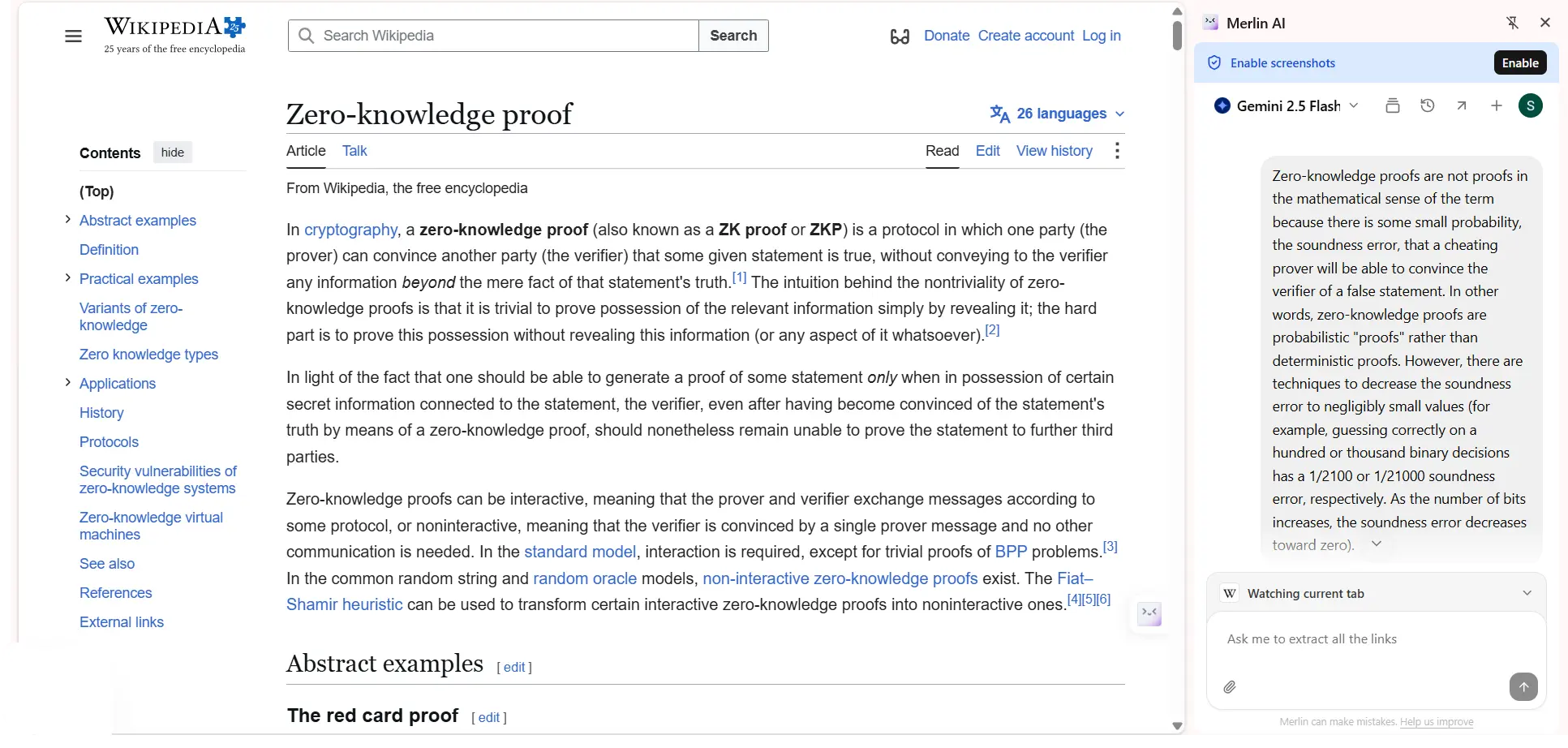
I was reading an IEEE paper on zero-knowledge proofs and hit a paragraph I could not follow. Highlighted the text, pressed Ctrl+M. Plain English explanation in under 10 seconds. Did not leave the page. Did not lose my reading flow. It just worked.
How Indian students mostly use it:
- Summarising research articles without copy-pasting into another tab
- Understanding difficult paragraphs in NCERT PDFs in simple language
- Asking follow-up questions while watching YouTube lectures
- Writing and asking questions in Hindi — full support is there
🔬
Researcher's Note — Suryakant Prasad
Merlin runs GPT-4 and Claude models under the hood — the same AI that costs ₹1,600 per month if you subscribe directly. Merlin gives you 102 free queries per day. Your data is processed on Merlin's own servers, not directly by OpenAI or Anthropic. In terms of what you get free, this is one of the best deals available for Indian students right now.
Works only on Chrome browser on a desktop or laptop — not on mobile. If you study mostly on your phone, look for the Merlin mobile app separately.
Try Merlin AI Free →
Quick Comparison
All 8 Tools at a Glance
All tested in June 2026 with a free account, no VPN.
| Tool |
Free Plan |
Gives Sources |
Upload PDF |
Phone / App |
Best For |
Rating |
| ChatGPT |
✅ Limited GPT-4o |
Sometimes |
✅ Yes |
✅ App available |
Essays, general Q&A |
★★★★★ |
| Claude |
✅ Claude Sonnet |
❌ No |
✅ Best in class |
✅ App available |
Long docs, writing |
★★★★★ |
| Google Gemini |
✅ 2.0 Flash |
Sometimes |
✅ Yes |
✅ App available |
Google Docs, research |
★★★★½ |
| Copilot |
✅ GPT-4o powered |
✅ Always |
Limited |
✅ App available |
Research with citations |
★★★★ |
| Perplexity AI |
✅ Free with citations |
✅ Always |
Limited |
✅ App available |
Research with sources |
★★★★★ |
| Meta AI |
✅ 100% free |
❌ No |
❌ No |
✅ WhatsApp & app |
Quick doubts on phone |
★★★★ |
| You.com |
✅ Free AI search |
✅ Yes |
Web pages only |
Browser only |
Research + coding |
★★★★ |
| Merlin AI |
✅ 102 queries/day |
Sometimes |
❌ No |
Chrome extension only |
Summarise any webpage |
★★★★½ |
FAQs
Frequently Asked Questions
Which free AI chatbot is best for Indian students in 2026?
For most students, start with ChatGPT and Google Gemini — both work without a VPN, no credit card needed, and they handle assignments, essays, and research questions well. For longer writing, Claude is the better option. For research where you need actual sources, Perplexity AI is the top pick.
Do these AI chatbots work in India without a VPN?
Yes, all 8 tools — ChatGPT, Claude, Gemini, Copilot, Perplexity, Meta AI, You.com, and Merlin AI — work in India without any VPN as of June 2026. I tested every one of them personally from Dehradun. None of them needed any workaround to access.
Is ChatGPT free for Indian students?
Yes. ChatGPT has a free plan that includes GPT-4o with daily limits. You can sign up with your Google account — no credit card required at all. For most assignments and essay writing tasks, the free plan is more than enough.
Is Claude AI free to use in India?
Yes. Claude by Anthropic is free at claude.ai. Sign up with your Google account, no credit card needed. The free plan gives you Claude Sonnet, which works well in India without a VPN. There is a daily limit but for regular student use it is generally sufficient.
Which AI chatbot gives the most accurate answers for academic work?
For research with cited sources, Perplexity AI is the most reliable — it shows the source URL for every claim it makes. For essay writing and analysis, Claude gives more careful and well-structured answers. ChatGPT is the most versatile overall. Treat all three as a starting point — not the final answer. Always verify any fact by reading the original source yourself.
Final Verdict: Where to Start
Still confused about which one to pick? Here is the simplest path — just follow this:
1
Start with ChatGPT — sign up free, use it for your next assignment. That is it for now.
2
Add Perplexity AI whenever you need sources for anything. Use both together.
3
After a week, add one more based on what you specifically need:
📄 Long essays or documents?Switch to Claude
📱 Study mostly on your phone?Use Meta AI on WhatsApp
💻 CS or coding assignments?Try You.com
🌐 Always working in Chrome?Install Merlin AI
Related Articles
You Might Also Like
SP
Written & Tested By
Suryakant Prasad
Researcher · UPES, Dehradun · Cryptography & Cloud Security
I research cryptography and cloud security at UPES Dehradun — 56+ citations, h-index 4. I started StudifyLabs because my own students kept asking "sir, which AI should I use?" — and I did not have a good, honest answer for them. Every tool on this page was tested by me personally with a free account. No company paid to be included here.
Every tool on this page was tested by me personally with a free account. No company paid to be included or to get a positive rating. Some links may become affiliate links in the future — if that happens, it will be clearly stated. All recommendations are based entirely on my own testing. Last tested: June 2026.